
Download Resbase – AI‑Powered Resume Optimization Tool for Job Seekers
Overview – Why Resbase Stands Out in the Resume‑Builder Landscape
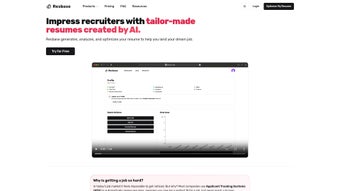
Resbase is an AI‑driven web application designed to transform the way job seekers craft, analyze, and optimize their resumes. Unlike generic resume generators, Resbase focuses on aligning each document with the specific language and criteria used by recruiters and Applicant Tracking Systems (ATS). By ingesting a job posting, the platform extracts essential keywords, qualifications, and preferred phrasing, then reshapes the user’s resume to match those expectations.
This targeted approach dramatically increases the likelihood of passing ATS filters and catching a recruiter’s eye. In addition to resume creation, Resbase offers a built‑in job tracker that logs applications, sends reminders, and suggests new openings based on the user’s profile and activity. The interface is clean and intuitive, allowing users to import existing LinkedIn or Word profiles, fine‑tune sections, and instantly preview how their resume will appear to hiring managers.
With a blend of AI‑generated suggestions, keyword extraction, and a seamless job‑search workflow, Resbase positions itself as a comprehensive career‑advancement companion, helping candidates move from “application submitted” to “interview scheduled” with confidence.
Core Features that Make Resbase a Must‑Have Career Tool
- AI‑Generated Tailored Resumes: Automatically creates a resume version that mirrors the language of a specific job posting, ensuring maximum relevance.
- Keyword Extraction Engine: Scans job ads to pull out high‑impact keywords and required qualifications, then highlights gaps in the user’s current resume.
- ATS Compatibility Checker: Scores the resume against common ATS algorithms, offering actionable tips to improve parse‑ability.
- Profile Import & Sync: Seamlessly imports data from LinkedIn, Google Docs, or Microsoft Word, reducing manual entry.
- Job Tracker Dashboard: Central hub to log applications, set follow‑up reminders, and visualize application status across multiple platforms.
- Smart Job Recommendations: Uses the user’s skill set and past applications to suggest new openings that fit their career goals.
- Real‑Time Collaboration: Allows mentors or career coaches to leave comments and suggestions directly on the resume draft.
- Secure Cloud Storage: All documents are encrypted at rest and in transit, complying with GDPR and CCPA standards.
- One‑Click Export: Export the final resume in PDF, DOCX, or plain‑text formats, optimized for both human readers and ATS.
- Continuous Updates: The AI model is refreshed monthly with the latest hiring trends, ensuring relevance across industries.
Installation & Usage – Getting Started with Resbase in Minutes
Resbase is a cloud‑based solution, so there is no traditional software download required for Windows, macOS, Android, or iOS. To begin, visit the official Resbase website and click the “Start Free Trial” button. The registration process is straightforward: provide a valid email address, create a secure password, and verify your account via the confirmation link sent to your inbox. Once logged in, the onboarding wizard guides you through three simple steps:
- Import Your Existing Resume or Profile: Upload a Word document, paste text, or connect your LinkedIn account. The AI parses the information and creates a structured draft.
- Select a Target Job Posting: Either paste the URL of the job ad or copy‑paste the job description. Resbase’s parser extracts key requirements and highlights the most relevant skills.
- Generate & Refine: Click “Generate Optimized Resume.” The AI produces a customized version, emphasizing matched keywords and reordering sections for maximum impact. You can then edit any section, add custom achievements, or accept the AI’s suggestions with a single click.
For ongoing use, the dashboard provides a “Job Tracker” tab where you can log each application, attach the tailored resume, and set follow‑up reminders. The platform also sends weekly email summaries with new job suggestions based on your profile. If you prefer a mobile experience, Resbase offers native iOS and Android apps that sync with the web version, allowing you to edit resumes on the go and receive push notifications for upcoming interview dates.
Support is available through a live chat widget, a knowledge base, and video tutorials that walk users through advanced features such as bulk keyword analysis and collaborative review sessions. Because everything is stored securely in the cloud, you can access your resume from any device without worrying about version control.
Compatibility, Pros & Cons – How Resbase Fits Into Your Workflow
Resbase operates entirely in the browser, making it compatible with all modern operating systems, including Windows 10/11, macOS Ventura and later, Linux distributions (via Chrome/Firefox), as well as mobile platforms like Android 9+ and iOS 13+. The web‑based architecture ensures that updates are applied instantly, eliminating the need for manual patches or version checks.
Pros
- AI‑driven personalization for each job posting boosts ATS success rates.
- All‑in‑one job tracker consolidates applications, reminders, and analytics.
- Secure cloud storage keeps your data safe and accessible from any device.
- Free trial and flexible pricing plans accommodate both students and professionals.
- Continuous AI updates reflect the latest hiring trends across industries.
Cons
- Requires an internet connection; offline editing is not currently supported.
- Advanced AI suggestions are limited to the premium tier.
- Initial AI parsing may need manual tweaking for highly creative or non‑traditional resumes.
Overall Verdict: Resbase delivers a powerful blend of AI optimization, ATS compatibility, and job‑tracking features that justify its place in any serious job seeker’s toolkit. While a stable internet connection is essential, the value added by tailored resumes and real‑time analytics outweighs the minor limitations.
Frequently Asked Questions about Resbase
Is Resbase free to use?
Resbase offers a 14‑day free trial with full access to all features. After the trial, users can choose between a monthly or annual subscription. A basic plan is also available at a lower price point, which includes core resume‑generation tools but excludes premium AI suggestions and advanced job‑tracker analytics.
Can Resbase help me pass ATS filters?
Yes. Resbase’s ATS Compatibility Checker evaluates your resume against common parsing algorithms used by platforms like Taleo, Workday, and Lever. The tool highlights problematic sections and recommends keyword placement, formatting tweaks, and file type choices to improve your ATS score.
Do I need to download any software?
No. Resbase is a fully web‑based application. You only need a modern browser (Chrome, Firefox, Edge, or Safari) and an internet connection. Native mobile apps are available for iOS and Android, but they sync with the same cloud‑based account.
How secure is my personal data on Resbase?
Resbase uses AES‑256 encryption for data at rest and TLS 1.3 for data in transit. The platform complies with GDPR and CCPA regulations, offering users the ability to delete their data permanently at any time from the account settings.
Can I export my resume in multiple formats?
Absolutely. Once you finalize a resume, Resbase lets you export it as a PDF (optimized for printing), DOCX (editable in Microsoft Word), or plain‑text (ideal for certain ATS). All exports retain the AI‑recommended keyword highlights and formatting.
Conclusion – Take Control of Your Job Search with Resbase Today
In a competitive job market, a generic resume simply isn’t enough. Resbase equips you with an AI‑powered engine that tailors each application to the exact language recruiters are searching for, while also providing a holistic job‑tracking environment. Whether you’re a recent graduate, a mid‑career professional, or an executive looking for a new challenge, the platform’s flexible pricing, secure cloud storage, and cross‑device compatibility make it a practical investment. Ready to boost your interview rate? Download Resbase now, start your free trial, and let the AI do the heavy lifting so you can focus on preparing for that next interview.






